
How do I buy credits, get invoices and change my plan in K-Stra?
Credits are spent only on what runs. This guide covers buying them, tracking where they go, and changing or stopping a plan.
Click your credits at the top or open “Billing” in the account to buy a pack or a monthly plan; prices come in AUD, NZD, USD, EUR, GBP. Invoices are emailed on payment and listed under “Invoices & payments”. “Usage” shows every operation and its cost, and cancelling a plan keeps the credits you have until they expire.
How do I buy credits?
Open “Buy credits” from the credits at the top or from Account › “Billing”. The window has three steps, “Plan”, “Billing” and “Payment”: choose a pack or a plan, enter the company details and pay by card through our payment provider. Pricing lists packs and plans.
K-Stra sells to businesses: checkout asks for a tax number, and for GST status in Australia and New Zealand. The currency follows your setting in “Language & currency”, and an active plan keeps its currency.
Open Buy credits
Click your credit balance at the top, or open Account › “Billing” › “Buy credits”.
Choose a pack or plan
In “Plan”, pick a one-off pack or a monthly plan.
Enter billing details
In “Billing”, give the company details and its tax number.
Pay
In “Payment”, pay by card; the credits arrive at once and the invoice is emailed.
How do I see where my credits went?
 In the app
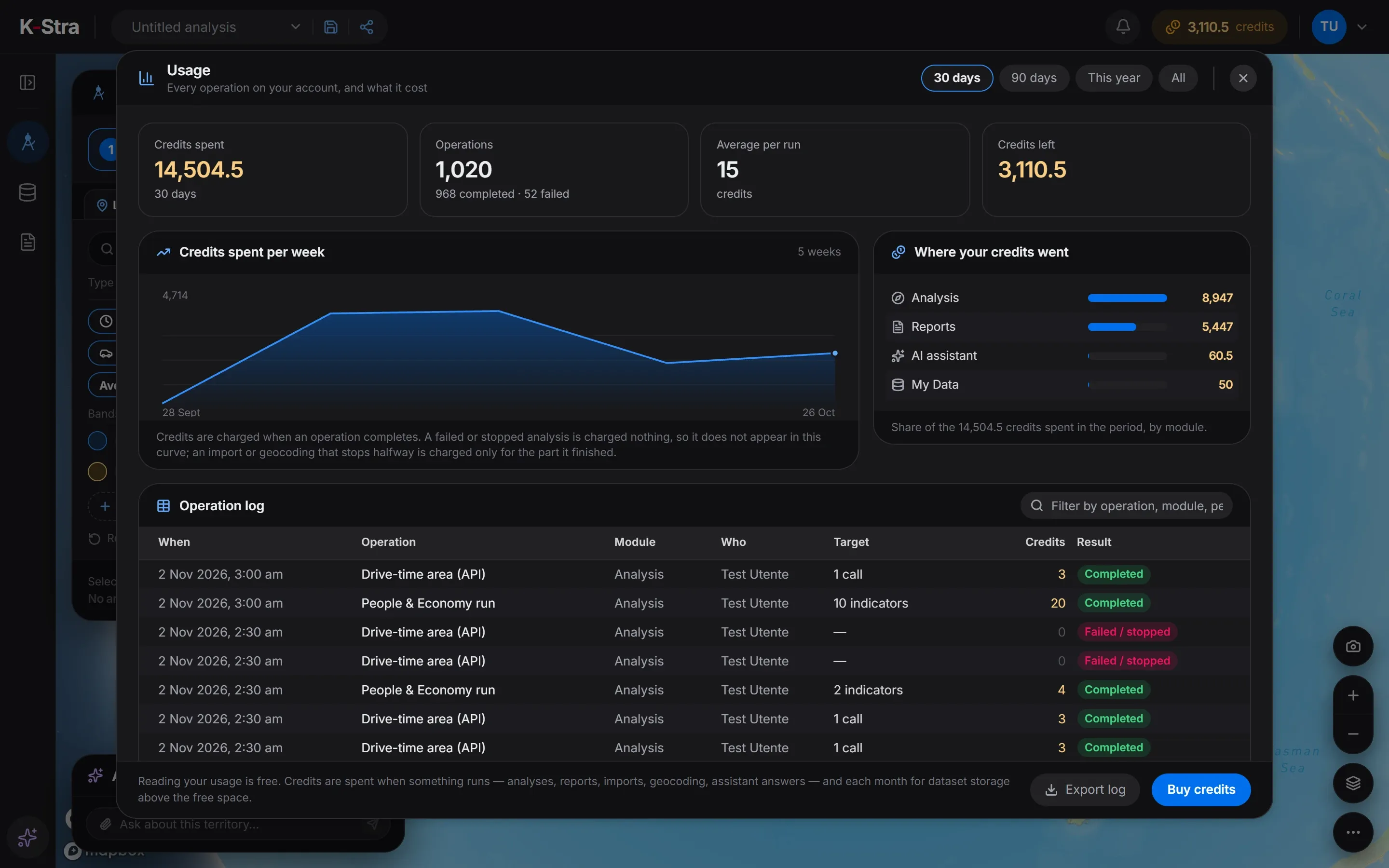
The account menu opens “Usage”: credits spent, the number of operations, a weekly chart, the split by module and a log of every operation with who ran it and what it cost. “Export log” downloads it.
Failed operations appear in the log with no charge. A stopped import or geocoding shows only the part that was processed.
When do credits expire, and which are used first?
One-off packs last 12 months; plan credits last the month of renewal and the following month; welcome credits 12 months; the monthly top-up until the end of the month. The credits that expire first are spent first, and the credits window warns you before a date.
| Credits | Valid for |
|---|---|
| One-off pack | 12 months |
| Monthly plan | the month of renewal and the following month |
| Welcome credits | 12 months |
| Monthly top-up before the first purchase | until the end of the month |
How do I change or cancel a plan?
In “Billing”, “Change plan” moves up at once with a prorated charge, or down from the next renewal. “Cancel subscription” asks for confirmation and stops the renewal at the end of the cycle.
Cancelling keeps the credits you already have until they expire. A renewal that cannot be paid cancels the plan.
What else do people ask about credits and billing?
Is GST charged on K-Stra invoices?
No. The billing window states “No GST or VAT is charged.” K-Stra does not charge GST or VAT, so the price shown is the price you pay; your accountant can confirm how to record it. Invoices are issued by our payment provider and emailed when you pay.
Can I pay in New Zealand dollars or euros?
Yes. Prices exist in AUD, NZD, USD, EUR, GBP; choose the currency in “Language & currency” before buying.
Do I lose my credits if I cancel?
No. Cancelling stops the renewal; the credits you have stay until their expiry date.
What if something was charged by mistake?
Write to support@k-stra.com with the line from “Usage”. How credits work explains what is charged and when.
Open K-Stra
and try it yourself.
The map, address search and area dashboards work without an account; a free account adds credits for your first analyses.
Open the app — free to exploreBrowsing areas and their dashboards is free; you pay only for the analyses you run