
How do I share analyses and invite colleagues in K-Stra?
Sharing in K-Stra is free and read-only by default. This guide covers analyses, datasets and invitations; reports have their own share options.
Click “Share this analysis” at the top and choose who can open it: your team, everyone in your organisation, specific people (up to 50 emails) or anyone with the link. Opening a shared analysis never costs credits, and your datasets are never included. Colleagues join the organisation through “Invite people” in the account menu.
How do I share an analysis?
Open the analysis and click the share button at the top: the window is “Share this analysis”. “Anyone with the link” needs no sign-in and expires after 7 days, 30 days or never; team, organisation and specific people need to sign in.
The link is live and always shows the latest version. To share a fixed picture, use “Make a copy and share it”; recipients see “Shared by” with your name and “read-only”.
Open the share window
With the analysis open, click “Share this analysis” at the top of the screen.
Choose the audience
Your team, everyone in the organisation, specific people by email, or anyone with the link with an expiry date.
Copy the link
Copy the link and send it. Specific people open it after signing in with the email you entered.
Who can see my datasets?
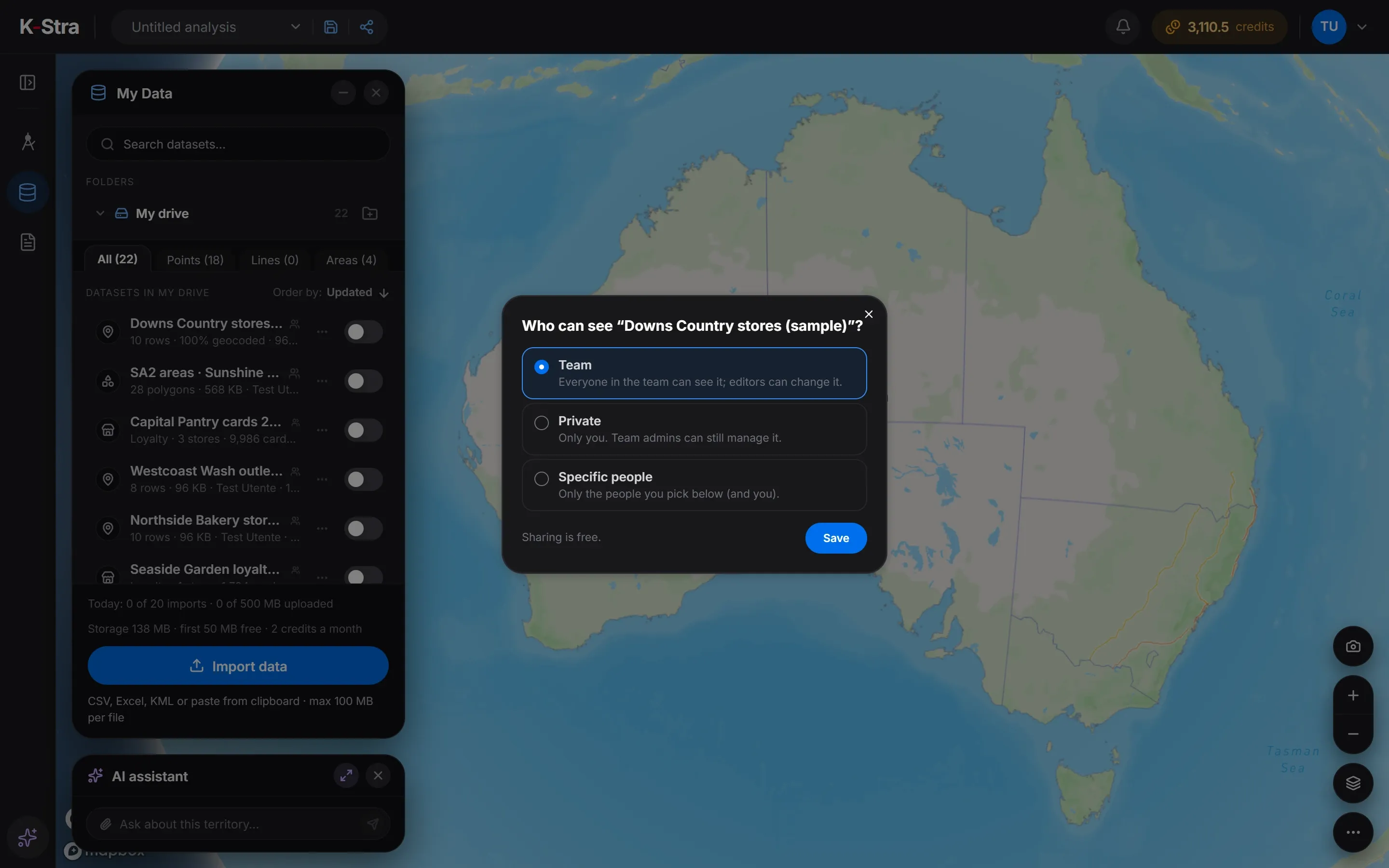 In the app
Datasets belong to the organisation and are visible to your team by default. From “Sharing…” in the dataset menu you can make one “Private” or open it to “Specific people”.
“My data stays private”: a shared analysis never carries your datasets or your stores. A recipient who runs the analysis again pays for it and gets a copy of their own.
How do I invite colleagues and give them roles?
In the account menu, open the organisation and click “Invite people”: type the email, the role and the teams, and optionally a monthly credit limit, then “Send invite”. The invitation is valid 7 days and can be resent, copied or revoked.
Organisation roles are Owner, Admin and Member; team roles are Team admin, Editor and Viewer. Inviting is free, but it adds no welcome credits: the organisation has a single credit balance.
| Role | Level | What it is for |
|---|---|---|
| Owner | Organisation | Everything, including billing and closing the organisation; only an Owner can change Owners, and one must remain |
| Admin | Organisation | Members, invitations, teams and limits |
| Member | Organisation | Works in the teams they belong to |
| Team admin | Team | Manages a team and its content |
| Editor | Team | Creates and changes analyses, datasets and reports of the team |
| Viewer | Team | Opens the team’s work without changing it |
Can I limit what a colleague spends?
Yes. Limits per person or per team are ceilings on the shared balance, not separate wallets; each person sees their own limit at the top when it is lower than the balance. Teams and governance explains limits and the usage reports.
What else do people ask about sharing and inviting?
Does the person I share with need an account?
Only for team, organisation and specific-people links. “Anyone with the link” opens without signing in, read-only.
Does opening a shared analysis cost credits?
No. Opening never costs credits. Running it again does, and creates a copy owned by the person who runs it.
Can I stop sharing?
Yes. Change the audience in the share window, or let an “Anyone with the link” share expire.
Open K-Stra
and try it yourself.
The map, address search and area dashboards work without an account; a free account adds credits for your first analyses.
Open the app — free to exploreBrowsing areas and their dashboards is free; you pay only for the analyses you run