
What are the limits and quotas in K-Stra?
The limits the app applies, gathered in one place, as checked on the app on 2 November 2026. Most users never meet them.
K-Stra analyses take up to 6 bands, 12 administrative areas or 10 drawn shapes. Imports are up to 100 MB per file and 20 files or 500 MB per user a day. Reports reach 200 pages and 50 scheduled recipients, and session-only datasets are deleted after 24 hours.
What are the limits of an analysis?
Limits on the area keep each run within a size the engine computes in seconds. Limits on modules keep a single run readable; for more, run it again on another selection.
| What | Limit |
|---|---|
| Bands around an address | 6, from 0–120 minutes or 0.1–30 km; 8 for the Customer Loyalty catchment |
| Administrative areas | 12 |
| Drawn shapes | 10, with 5,000 vertices in all |
| Territory of one analysis | 1,000,000 address points |
| Brands in one run | 10 |
| Categories in a category mix | 20 |
| Points in network coverage | 500 |
| Candidate sites in a comparison | 5 |
| Sales reps in a Sales analysis | 100, with 10 locations per rep code |
| Stores in a Customer Loyalty network analysis | 60 |
What are the limits on importing and storing data?
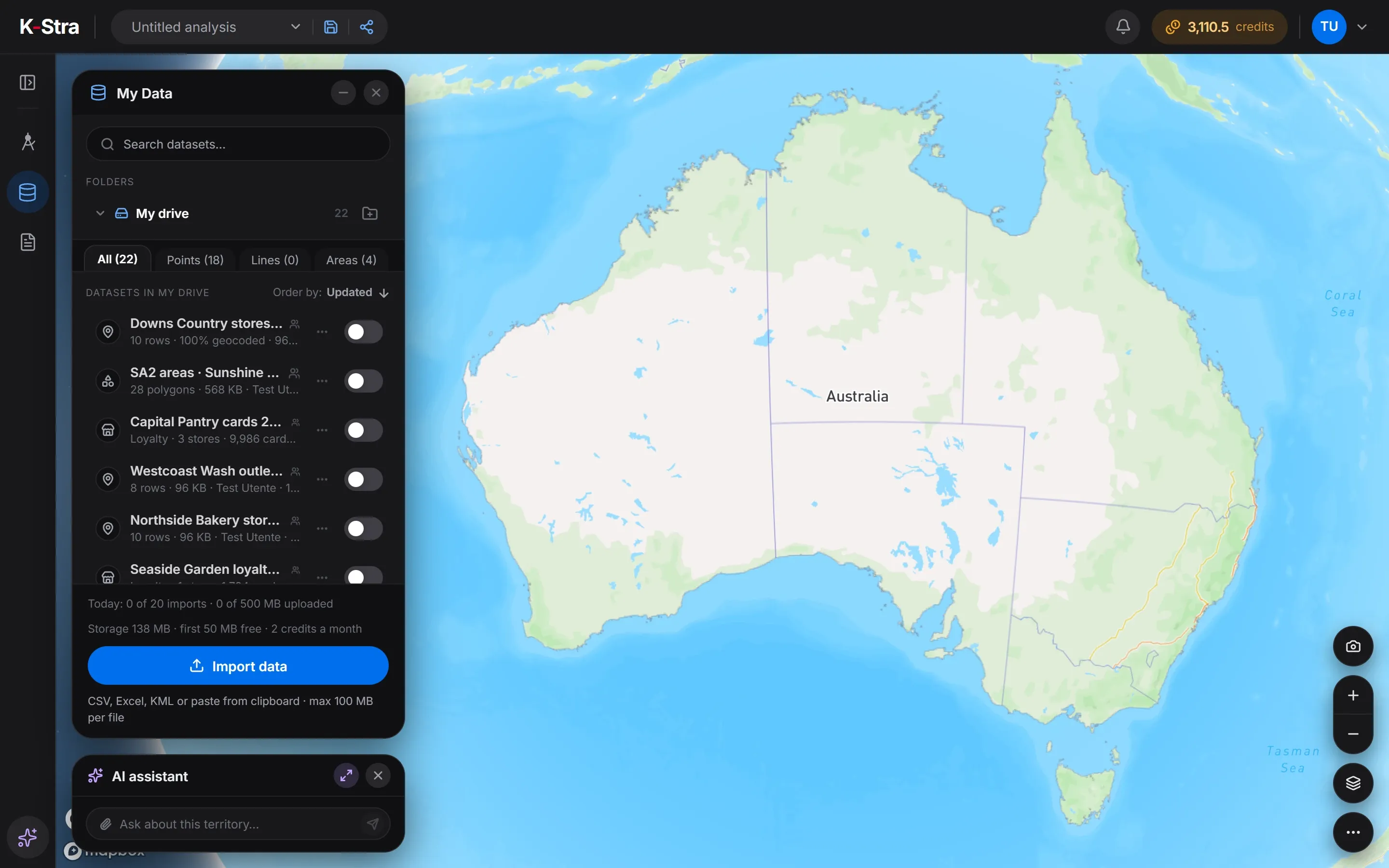 In the app
The daily allowance is per user and resets each day; My Data shows how much is left. Storage has no cap: beyond the free 50 MB it is paid in credits each month.
| What | Limit |
|---|---|
| File size | 100 MB |
| Columns per file | 500 |
| Shapes per KML or GeoJSON file | 100,000 |
| Imports per user per day | 20 files or 500 MB, whichever comes first |
| Free storage per organisation | 50 MB, then 2 credits per 100 MB a month |
| Session-only datasets | deleted at the end of the session or after 24 hours |
What are the limits on reports, sharing and the AI assistant?
These limits protect the people who receive your work as much as the server: a report email stays small enough for any inbox, and a link shared with anyone can expire.
| What | Limit |
|---|---|
| Pages in a report | 200, with 120 elements per page |
| Images in a report | 10 MB each |
| Recipients of a scheduled report | 50, with attachments up to 10 MB |
| Pages of an AI draft | 6 |
| Expiry of a link for anyone | 7 days, 30 days or never |
| People invited to one analysis | 50 |
| Invitation to an organisation | valid 7 days |
| Message to the AI assistant | 4,000 characters, 10 questions a minute |
| Quote prepared by the assistant | valid 15 minutes, runs once |
| Free answers without an account | 2 |
How long does K-Stra keep each kind of data?
Your analyses, datasets and reports stay as long as your account does. Some records are kept for a fixed time, listed here; the privacy policy is the reference.
| Data | Kept for |
|---|---|
| Work of a visitor without an account | 24 hours |
| Session-only datasets | 24 hours at most |
| Requests to the AI assistant | 180 days |
| Activity events and sign-ins | 365 days |
| Audit log of an organisation | 24 months |
| Data of a closed organisation | deleted within 30 days |
| Records of accepted terms | 7 years |
What else do people ask about limits and quotas?
What happens if I reach a limit?
The app says so before anything runs or is charged: for example “Narrow the territory first” for a territory that is too large, or the daily import counter in My Data.
Can the limits be raised?
For an organisation with a specific need, write to support@k-stra.com. Most limits exist to keep each run fast for everyone.
Why is there a daily import limit?
To keep imports quick for every user on the same server. The counter at the bottom of My Data shows what is left today.
Open K-Stra
and try it yourself.
The map, address search and area dashboards work without an account; a free account adds credits for your first analyses.
Open the app — free to exploreBrowsing areas and their dashboards is free; you pay only for the analyses you run